
May 21st, 2026
8 Common IT Scams Dental Practices Must Avoid (2026)
Industry Research — Dental Cybersecurity
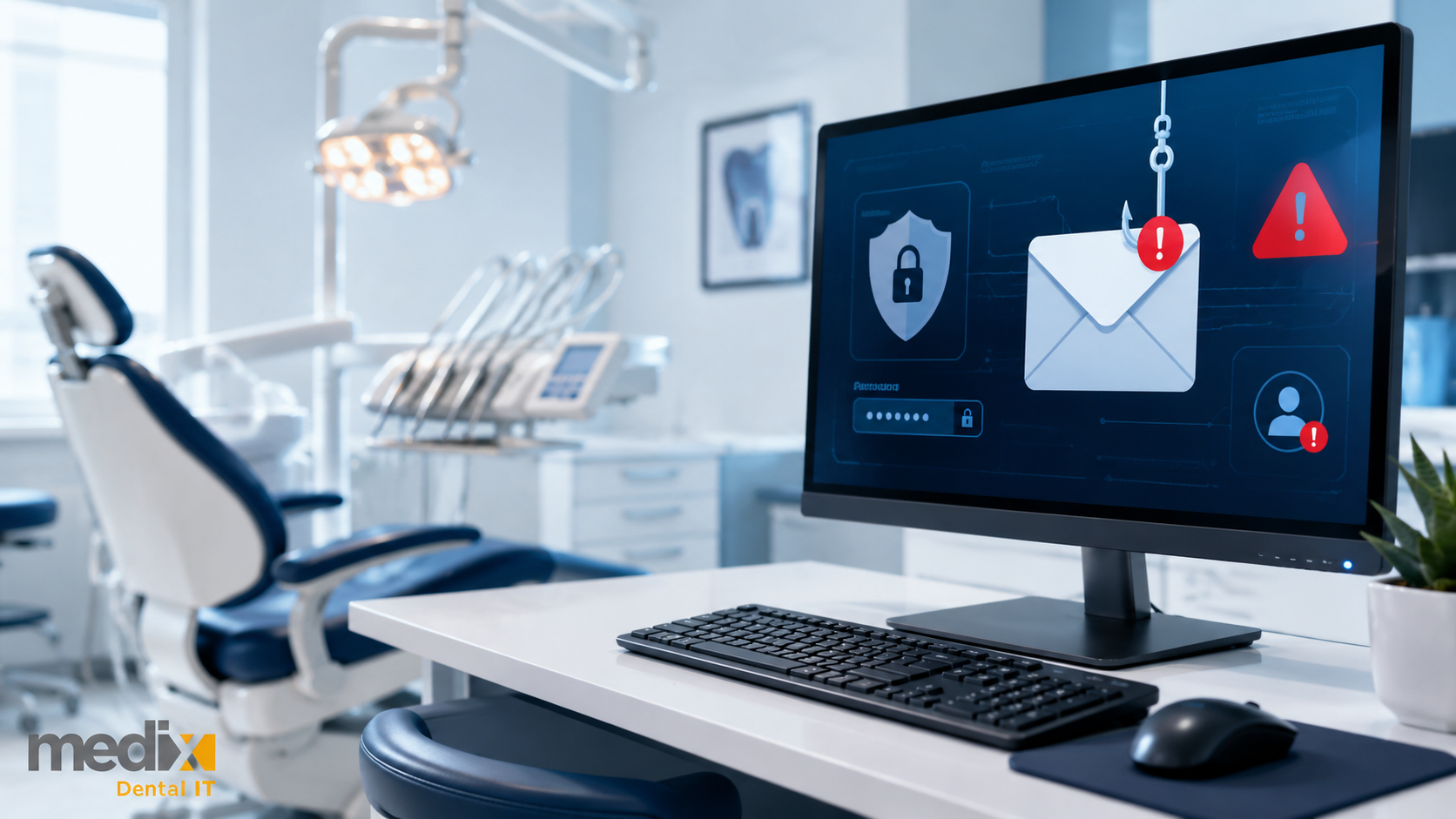
The common IT scams targeting dental practices in 2026 do not look like the scams from 2022. Phishing emails used to be easy to spot. Bad grammar, generic greetings, obvious spoofing. AI has rewritten the playbook. Voice cloning, QR-code phishing, and AI-generated emails have shifted the threat surface, and the dental offices that are still training staff against the old patterns are getting hit by the new ones.
This post covers the eight IT scams dental practices need to recognize in 2026, the data that shows why they matter, and the operational baseline that actually protects against them. The good news: the defensive baseline has not changed as much as the attacks have. The bad news: most dental practices have not built it yet.
Why Dental Practices Are a Top Target
Dental practices sit at an unfortunate intersection. They hold high-value patient data, run specialized software most staff are not trained to lock down, and rarely have the same security maturity as larger healthcare organizations. According to the FBI’s 2024 Internet Crime Report, business email compromise alone accounted for 21,442 complaints and $2.77 billion in losses. Ransomware victim counts across all sectors rose 58% in 2025 per GuidePoint Security tracking, with dental and specialty offices showing up in a meaningful share of healthcare breaches, as our roundup of the biggest dental data breaches makes clear.
The shift toward AI-assisted attacks is the headline story. Microsoft’s 2025 Digital Defense Report measured a 54% click-through rate on AI-written phishing emails compared with 12% for human-written. That is not a small jump. It is the kind of change that makes 2023-era staff training obsolete and the kind of change that has to be reflected in how a dental practice runs its cybersecurity program.
The 8 Common IT Scams Dental Practices Face in 2026
1. AI-Generated Phishing: The New Default
AI-generated phishing is now the dominant phishing vector. Attackers feed an LLM a few pieces of context (vendor names, patient terminology, your office manager’s writing style) and produce emails that are grammatically perfect, context-aware, and difficult to distinguish from legitimate communication. Microsoft’s 2025 Digital Defense Report found AI-written phishing emails get clicked at more than four times the rate of human-written ones.
For a dental practice, the most common targets are accounts payable (fake supplier invoices), front desk (fake patient referrals or insurance verifications), and the practice owner’s inbox (fake vendor renewal notices). The old advice to look for typos is gone. The new defense is technical: phishing-resistant MFA, email authentication (SPF, DKIM, DMARC), and identity governance that limits what any single compromised account can do.
2. Voice Cloning and Deepfake Vishing
Voice cloning fraud is up more than 400% year over year. The FBI’s IC3 logged 22,364 AI-related fraud complaints totaling $893 million in losses in 2025. The pattern that affects dental practices: a caller using a cloned voice impersonates the practice owner, a vendor, or an executive at a parent group, calling the front desk or office manager to authorize a wire transfer, change banking information, or approve a refund.
The defense is procedural, not technical. Any banking change, wire transfer authorization, or out-of-band financial request gets verified through a known callback number on file. Not the number on the email. Not the number the caller provided. The number your accounting team already had before the call came in.
3. QR Code Phishing (Quishing): The Trojan Horse
QR-code phishing rose roughly fivefold in 2025 and now accounts for about 12% of all phishing attacks. Common dental-office vectors include fake vendor renewal emails (“scan to update your account”), fake parking citations, fake MFA-reset prompts, and physical posters or stickers placed in waiting rooms by attackers posing as patients.
The reason quishing works is that QR codes bypass most email security filtering. The link only resolves when a person scans it on a phone, often a personal phone outside the office’s protected network. Staff need explicit training to treat QR codes the same way they treat unsolicited links: do not scan codes from unverified emails, and verify any “scan to update” request through a known channel.
4. Ransomware: The Digital Hostage Taker
Ransomware victim counts across all sectors rose 58% in 2025, and healthcare remains among the most-targeted industries. Active strains hitting dental and specialty practices include Qilin, INC Ransom, SafePay, Sinobi, and Medusa. In January 2026, Pecan Tree Dental in Grand Prairie reported a Sinobi ransomware attack affecting up to 13,300 individuals. West Texas Oral Facial Surgery was hit by INC Ransom in 2025 with 11,151 individuals affected.
The defensive baseline against ransomware is unchanged but increasingly non-negotiable. Endpoint detection and response (EDR) on every workstation. Offsite-replicated backups with restore testing. Patch management with documented compliance rates. Identity governance that prevents lateral movement when a single account is compromised. Dental data backup and disaster recovery done correctly is what separates a 24-hour incident from a 30-day closure.
5. Business Email Compromise (BEC): The Invoice Interceptor
BEC remains the highest-dollar threat to dental practices. The 2024 FBI IC3 report logged $2.77 billion in BEC losses across all industries. The dental-practice version usually starts with a compromised vendor email account. The attacker quietly watches for an in-flight invoice, then sends a follow-up from the legitimate vendor account changing the bank routing information.
By the time the practice’s accounts payable team processes the payment, the wire is gone and the real vendor still has not been paid. The defense is dual-control on banking changes (no single staff member can change vendor banking info alone) and out-of-band verification (any banking change confirmed by phone to a known number, not the number on the email).
6. Social Engineering and Tech Support Scams
Tech support scams are still active and still expensive. The FTC’s 2024 Older Consumers Report tracked $159 million in tech support scam losses in 2024 alone. In a dental practice, the most common version is a caller claiming to be from “your software vendor” or “your IT support company” asking for remote access to fix an urgent problem.
The rule is simple. Your IT support partner does not cold-call asking for remote access. If a caller claims to be from your IT provider and you did not open a ticket, hang up and call your provider directly. The same applies to anyone claiming to be from a software vendor, Microsoft, your bank, or the IRS.
7. Fake Software Updates and SEO Poisoning
Modern malware distribution has moved beyond the obvious “update Flash” prompts. Attackers now buy search ads or rank malicious sites for terms like “download Dentrix update” or “Eaglesoft patch download,” then serve installers that look identical to the real ones. The malware runs quietly while the staff member assumes the update completed normally.
The defense is software inventory and update governance. Practice management and imaging software updates come through the vendor or through your dental IT partner, not through a Google search. Staff who download installers from anywhere else are creating the kind of incident a cybersecurity assessment is supposed to find before an attacker does.
8. Third-Party and Supply-Chain Breaches
Many of the breaches that affect dental practices in 2026 did not start at the practice. They started at a software vendor, a clearinghouse, or an AI tool the practice connected to its PMS without a proper vendor risk review. The Change Healthcare breach in 2024 cascaded through thousands of healthcare organizations, including dental practices, that had no direct attack against them.
The defense is vendor governance. Every software vendor with access to protected health information needs a signed Business Associate Agreement with subcontractor flow-down clauses. Every AI tool added to the practice gets the same review as any other PHI-handling vendor. A vendor risk register that nobody updates is not vendor governance.
The Defensive Baseline That Actually Works
The eight scams above are different tactics. The defense against them is largely the same set of operational disciplines applied consistently.
Enterprise MFA. Phishing-resistant MFA across every account, including legacy and service accounts. Microsoft Research found MFA reduces account compromise risk by 99.22%, yet a meaningful share of dental practices still treat it as optional.
Identity governance. Tenant-level monitoring inside Microsoft 365 or Google Workspace. Role-based access. Conditional access policies. Off-boarding the day a provider or staff member leaves, not the month after.
Endpoint detection and response. Real EDR, not consumer antivirus. Antivirus is not a cybersecurity program.
Backup and disaster recovery. Offsite, immutable, and restore-tested. Untested backups are not backups.
Vendor governance. Signed BAAs, documented data flows, a vendor risk register, and the same level of scrutiny for AI tools as for any other PHI-handling vendor.
Quarterly vulnerability management. Patch compliance reported as a number, not a feeling. If your IT partner cannot tell you the percentage of endpoints fully patched at month-end, that is the answer.
Staff training that matches the threat. Quarterly is the floor. Phishing simulations that include AI-generated content, voice scenarios, and QR-code lures. Training built against 2023 attacks does not prepare staff for 2026 attacks.
The Bottom Line for Dental Practices
The IT scams targeting dental practices in 2026 are more convincing, faster to deploy, and harder for untrained staff to detect than the scams of even two years ago. The operational disciplines that defend against them have not changed much, but they have to be enforced consistently across every workstation, every account, and every vendor relationship.
Most dental practices know the words. Enterprise MFA, EDR, backups, identity governance, BAAs. The gap is in the execution. The practices that get through 2026 without a public breach are the ones treating cybersecurity as a continuous operational discipline, not a one-time HIPAA checkbox.
If you want a second set of eyes on your current setup, our team runs dental cybersecurity assessments against the same baseline above. Happy to compare notes.
Common Dental IT Scams FAQs
How often should I train my staff on cybersecurity?
Quarterly is the operational floor, with monthly phishing simulations that reflect the current threat surface. The 2026 version of training must include AI-generated phishing examples, voice cloning scenarios, and QR-code phishing because staff trained against 2023 attacks are not prepared for 2026 attacks. Document attendance, document results, and tie remediation training to staff who consistently fail simulations.
What should I do if I suspect my practice has been breached?
Disconnect the affected systems from the network without powering them down (preserving memory matters for forensics), contact your dental IT support partner immediately, and engage a cybersecurity incident response firm if your provider does not have one on retainer. Depending on the scope, you will likely need to notify the HHS OCR Breach Portal and affected patients within the federal 60-day window. State-level breach laws may add tighter timelines on top of HIPAA.
How do I verify whether an email is real or AI-generated phishing?
The grammar and spelling tests are obsolete. Verify the request out-of-band: pick up the phone and call the sender on a number you already have, not the number in the email. For internal requests claiming to come from the practice owner or office manager, the same rule applies. Phishing-resistant MFA, SPF/DKIM/DMARC email authentication, and conditional access policies in Microsoft 365 or Google Workspace are the technical baselines that make the procedural defense work.
Are cloud-based practice management systems more secure than on-premise systems?
Generally yes, when configured correctly. Reputable cloud PMS providers maintain stronger baseline security, faster patching, and offsite redundancy that most dental practices cannot match on-premise. The caveat: cloud reduces the burden, it does not remove the responsibility. Identity governance, MFA enforcement, vendor risk review, and a signed BAA still apply. Cloud is a scalability and resilience decision, not a free pass on security.
What should I look for in a dental IT partner to protect against these scams?
Dental-specific experience with named PMS and imaging platforms. A documented security baseline (MFA, EDR, identity governance, backup with restore testing, vendor governance). KPI reporting every month, not just at renewal time. Quarterly vulnerability management with patch compliance reported as a percentage. Demonstrated incident response capability. If a prospective partner cannot quantify their service, they are selling you hope, not managed service.
Posted in Dental Cybersecurity