

July 21st, 2026
Dental Practice Business Continuity: How to Keep Your Locations Open During an IT Outage
Industry Research — DSO
Most practices have a plan for a flooded operatory or a broken sterilizer. Far fewer have one for the morning the practice management software will not load and the schedule is a black screen.
That gap is what dental practice business continuity is built to close. Backup and recovery answer the question “can we get our data back.” Business continuity answers a harder one that owners actually feel in the chair: can we still see patients, collect payment, and run the day while the systems are down. This post is about that active-outage window, not the awareness pitch and not backup fundamentals. If you want the data-protection layer beneath everything here, start with data backup and recovery and read this on top of it.
Business continuity vs disaster recovery: two different jobs
People use these terms interchangeably and then build the wrong plan. They are related but not the same thing.
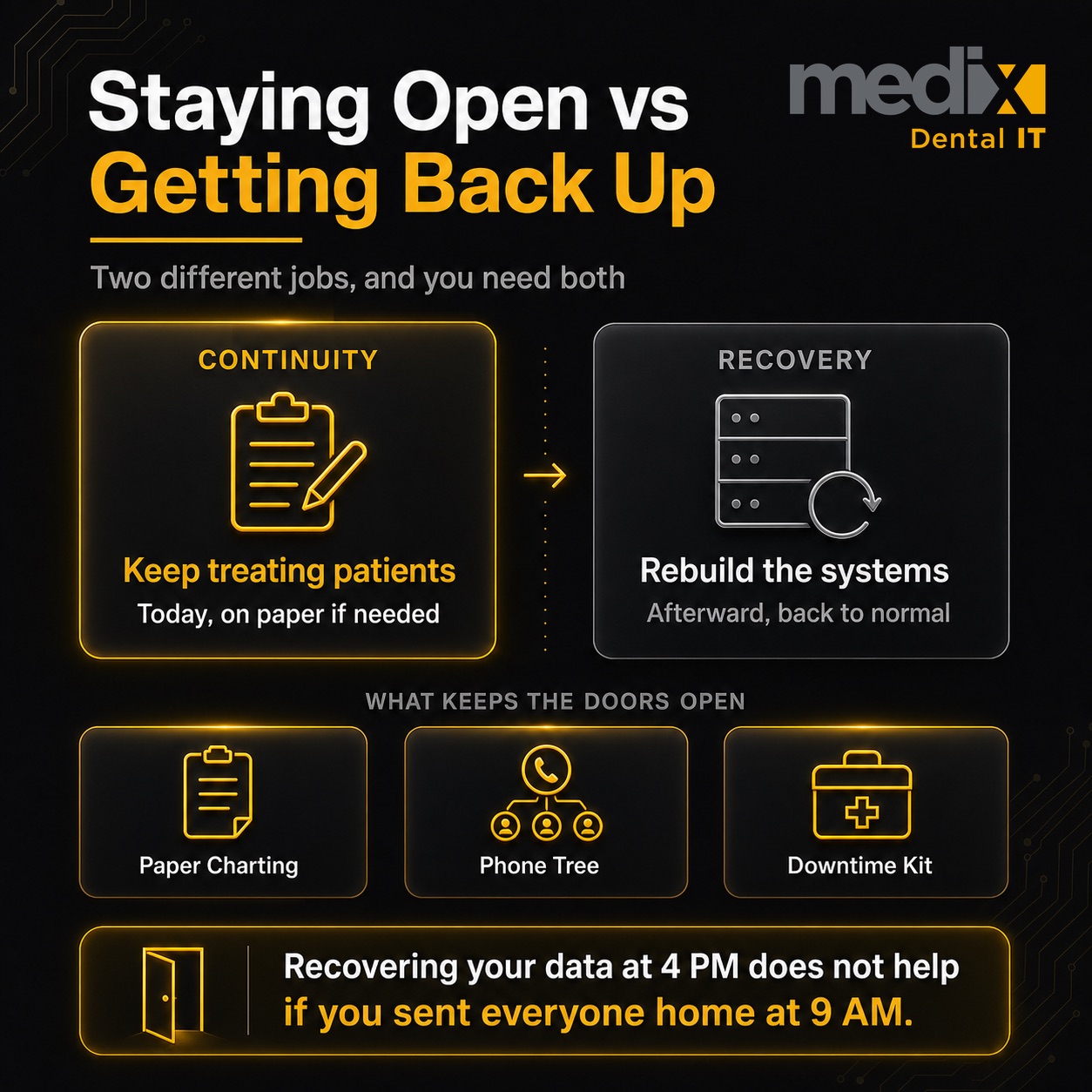
Business continuity is the broad set of procedures for keeping your business processes running during and after a disruption. Disaster recovery is the narrower job of restoring the IT systems themselves. One keeps the practice operating. The other rebuilds the technology the practice runs on.
The National Institute of Standards and Technology draws this line cleanly in SP 800-34 Rev 1. A business continuity plan is a predetermined set of procedures for how an organization’s business processes will be sustained during and after a significant disruption. A disaster recovery plan is a written plan for recovering information systems at an alternate facility after a major failure.
| Question | Business Continuity (BCP) | Disaster Recovery (DR) |
|---|---|---|
| Core job | Keep the whole practice operating | Restore the IT systems |
| Scope | Broad (people, schedule, payments, patients) | The technical subset (servers, PMS, data) |
| Owner | Practice owner / operations manager | IT team or IT provider |
| Runs when | During the outage, in real time | To bring systems back after failure |
| Success looks like | Patients still treated, revenue still captured | Systems live again, data intact |
| Key measures | Manual workflows, staff runbooks, drills | RTO and RPO |
You need both. A group that nails DR but has no continuity plan will recover its data at 4 PM after sending a full day of patients home. A group with strong continuity but weak DR keeps treating people on paper and then cannot rebuild the systems the paper is supposed to reconcile back into.
RTO and RPO: numbers the group sets, not numbers you inherit
Two measures decide how much downtime and data loss your group can absorb. Both come from the same NIST guidance.
Recovery Time Objective (RTO) is how long a system can be in recovery before the delay hurts the mission. Think of it as the maximum tolerable downtime. Recovery Point Objective (RPO) is the point in time to which data must be recovered. Think of it as the maximum tolerable data loss.
Here is the part most vendors get wrong. There is no authoritative “correct” RTO or RPO for a dental group. These are decisions you make, weighted by what each location produces and what it costs you to be dark.
A high-production flagship location might get an RTO measured in a couple of hours. A satellite office open three days a week can tolerate a longer window. Your RPO drives how often data has to be captured, which ties straight back to your backup design. Set the targets deliberately, write them down per location, and let them drive the technical build. Do not let the technical build hand you numbers by accident.
The downtime clinical workflow
This is where continuity earns its keep. When the PMS is down, your team needs a defined way to keep treating patients safely. Improvising in the moment is how allergies get missed.
Print the next day’s schedule every evening. A physical schedule at each front desk means a total outage does not erase your day. It is the cheapest continuity control you own.
Keep offline access to the clinical essentials. Your team has to be able to see medical history, allergies, and current medications without the network. That can be a nightly encrypted export or a printed morning summary for scheduled patients. Treating a patient blind to their allergy list is a clinical risk, not just an IT one.
Chart on paper and reconcile later. Have downtime forms ready so clinical notes get captured during the outage and entered back into the system once it returns. The reconciliation step is not optional. A chart that never made it back in is a gap in the record.
Capture payment manually. Know how your team runs a card or records a patient balance when the integrated system is offline, and how those transactions post back afterward. Lost payments during downtime are revenue you never recover.
Cross-location failover for a DSO
A single practice has one problem: it is up or it is down. A multi-location group has a more interesting one. One office can be dark while the rest run fine, or a single design flaw can take the whole group out at once.
The difference is architecture. If every location shares one central database and one billing system, that shared core is a single point of failure. When it goes, all your locations go with it. Central systems are efficient, and they concentrate risk. You have to know exactly where yours sits.
Network segmentation is the control that keeps a local problem local. If offices are properly segmented, ransomware that lands in one location cannot walk across the network into the others. Flat networks are how a single infected workstation becomes a group-wide shutdown. This belongs in your risk assessment, not as an afterthought.
Decide in advance how you handle “one down” versus “all down.” When a single office is out, can you shift its patients to a nearby location for the day. When the shared core is out, what is the group-wide manual protocol. Both answers should exist on paper before you need them.
Recovery sequencing: which location comes back first
When systems come back, they rarely all come back at once. Someone has to decide the order, and if you have not decided in advance, you will decide badly under pressure.
Sequence recovery by production weight and patient impact. The location seeing the most patients and generating the most revenue generally comes back first, unless a lower-volume office has a clinical situation that outranks it. Write the default order down. Let the person running the incident adjust it with a reason, not invent it from scratch.
This sequencing decision is a continuity call, not a technical one. Your IT provider restores in the order you set. If you have not set one, they guess, and the office that screams loudest wins instead of the office that matters most.
Staff runbooks: a decision tree, not a binder
A continuity plan nobody can act on under stress is decoration. The fix is a short role-based runbook that tells each person exactly what to do in the first fifteen minutes.
- Front desk: pull the printed schedule, switch to paper check-in and downtime forms, tell arriving patients what is happening, and start the manual payment log.
- Clinical staff: pull the offline medical history and allergy summary, chart on paper, and flag any patient whose care depends on data you cannot currently see.
- Owner or operations manager: call the IT provider, decide “one down” or “all down,” make the treat-or-reschedule call, and own the recovery sequence.
One page per role. If someone has to read three paragraphs to find their first move, the runbook has already failed.
Tabletop drills and the downtime kit
A plan you have never run is a theory. Test it with a short tabletop drill: 30 to 60 minutes, one scenario, walk the team through their roles out loud. “The server is down at 8 AM on a Tuesday. Front desk, what do you do first.” You will find the broken assumptions fast, and they are cheap to fix in a drill and expensive to fix live.
HIPAA actually requires this testing. The Contingency Plan standard at 45 CFR 164.308(a)(7) lists a Data Backup Plan, a Disaster Recovery Plan, and an Emergency Mode Operation Plan as required, plus Testing and Revision and a data criticality analysis as addressable. Business continuity is not a nice-to-have for a HIPAA-covered dental group. Ready.gov offers a solid general framework for building the plan itself if you want a starting scaffold.
Back the whole thing with a physical downtime kit at each location: printed current schedule, offline patient summaries, blank downtime charting forms, manual payment forms, the role runbooks, and the IT provider’s direct contact. Keep it somewhere the network being down cannot lock you out of it.
Where this fits with the rest of your plan
Continuity sits on top of two layers you should already have. Your backup and recovery design is the data-protection floor. Your broader disaster preparedness work covers the physical and operational events around it. Business continuity is the layer that keeps the chairs full while those systems do their job.
For a growing group, the right partner treats all three as one connected plan and sets RTO and RPO per location with you instead of handing you a generic default. That is the difference between an IT provider for DSOs and a break-fix shop that shows up after the day is already lost.
Frequently Asked Questions
What is a business continuity plan for a dental practice?
It is a predetermined set of procedures for keeping your practice operating during and after a disruption. For a dental group that means printed schedules, offline access to allergies and medications, paper charting that reconciles later, manual payment capture, and role-based staff runbooks. It focuses on treating patients during the outage, which is different from restoring the technology itself.
Does HIPAA require a business continuity plan?
HIPAA requires a Contingency Plan under 45 CFR 164.308(a)(7). Its required parts include a Data Backup Plan, a Disaster Recovery Plan, and an Emergency Mode Operation Plan, with plan testing and a data criticality analysis as addressable items. That emergency mode operation piece is essentially continuity. For a covered dental group, this planning is a compliance obligation, not an optional upgrade.
Which location should come back online first after an outage?
Usually the one with the highest production and patient volume, unless a lower-volume office has a clinical situation that outranks it. This is a business decision your group sets in advance, not something your IT provider should improvise. Write down a default recovery sequence weighted by impact, and let whoever runs the incident adjust it with a stated reason rather than starting from zero.
How often should we test our continuity plan?
Run a short tabletop drill on a regular cadence, at minimum annually and after any major change to your systems or locations. Thirty to sixty minutes with one scenario is enough to surface broken assumptions. Walk each role through their first moves out loud. Testing is also part of the HIPAA Contingency Plan standard, so a documented drill serves both your operations and your compliance record.
Posted in DSO


























































