

October 12th, 2026
Do Dental Offices Need a Server? A New Practice Chose the Cloud
Industry Research — Testimonials
Dr. Chip Kimble spent years working in dental offices that ran on a server. When he opened his own, he kept the practice software off site and kept one small server for his CT scanner.
Do dental offices need a server? It depends on the practice management software. A cloud-hosted PMS needs no server in your office, a server-based PMS needs one either on site or hosted for you, and imaging equipment such as a CBCT unit may still call for a small local server. That last setup is how Dr. Kimble built Prism Dental in Ann Arbor, Michigan, when he opened it in May 2025.
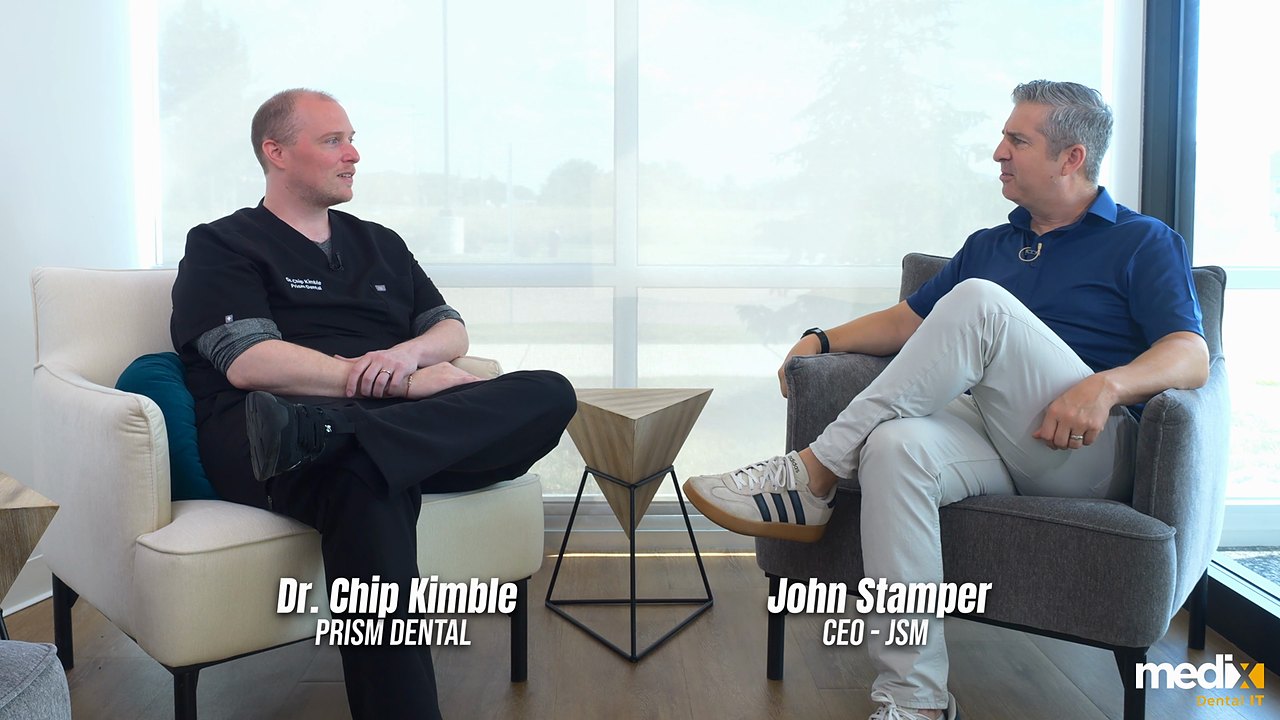
Dr. Kimble is a Medix Dental IT client, and the interview below was filmed for us. Everything in quotation marks is his, taken from the recording.
Do Dental Offices Need a Server? One Owner Answers on Camera
If you would rather read, the key points are below. In the video, his approach to design and patient care comes first, and the server conversation starts about halfway through.
Why He Didn’t Want a Server Running the Practice
His first reason was physical. “I don’t want dentistry to get in the way of dentistry,” he says. “If you have local servers and you just have a bunch of wires and crud all around, it gets in the way of the aesthetics, it gets in the way of working. And so I wanted to go cloud.”
His second reason came from experience. Before Prism, he spent eight or nine years working in server-based offices. “I’ve seen it go down. I’ve seen it cause trouble,” he says. His blunter version: “Nobody really wants a server. They put up with a server. They struggle with a server.”
That is his opinion, and a well-run server can serve a practice for years. What a server does bring is a lifecycle. We plan replacement every five years, seven at the outside, with active warranties the whole way through. Between replacements it needs security patches and backups that get tested, and someone has to answer the call when it will not start.
With a cloud PMS, the software vendor runs the hosted servers, and whoever manages the practice’s IT handles what stays local. In his words, with the cloud “there’s other people that deal with it.”
What Moves to the Cloud and What Stays in the Building
Prism runs on cloud software, and it still has hardware in the building. The one server he kept is for imaging. “We have a 3D CT, goes to just a minor server over there. That’s the closest I even get to a server,” he says.
Prism’s setup shows what cloud-first means in practice. The practice software moves off site, and a short list of things stays local, mostly hardware the team uses in the office every day. The table below is that list, with what happens to each piece when the internet drops.
| Part of the practice | In a cloud-first setup | What stays in the building | If the internet goes down |
|---|---|---|---|
| Practice management software (schedule, charts, billing) | Hosted by the software vendor | Front desk and chairside workstations | Unavailable, apart from a read-only schedule on some platforms, which is why the backup line matters most here |
| 2D X-rays and intraoral images | Stored in the cloud if the imaging software supports it | Sensors and cameras, and the computers they plug into | Depends on the imaging software. Some capture locally and sync later, others need the connection |
| CBCT | Scans can be stored in the cloud with imaging software built for it | The unit’s capture computer, plus a small local server in Prism’s case | Depends on the imaging software. Capture happens at the unit, and anything that saves to the cloud waits |
| Network (firewall, switches, Wi-Fi) | Monitored and managed remotely | All of it | Keeps running inside the office with nowhere to send outside traffic |
| Internet | The connection every cloud system depends on | The circuit handoff, ideally with a backup line from a second provider | A backup line takes over if it was set up to fail over on its own |
| Phones | Cloud phone systems are hosted by the provider | Handsets | Handsets go quiet unless a backup line keeps them online. Ask the provider whether it can forward calls to another number during an outage |
| Backups | The vendor protects hosted data under its own terms | Anything still stored locally, such as CT scans on a local server, needs its own backup | Data already backed up is unaffected. Confirm what you can restore from each vendor before you need it |
Two rows decide whether you need a server at all. The first is the practice software. A cloud-hosted PMS does not need one in your office, and a server-based PMS needs a server, either in your office or hosted for you. Our comparison of cloud vs server practice management software sorts the major platforms by where the data lives, and our case for moving PMS and imaging software to the cloud covers the reasons beyond the server itself.
The second is imaging. Our view is that a practice with CBCT can avoid a dedicated imaging server if the unit’s own software supports it, the imaging software stores scans in the cloud and the bandwidth is planned for it. Keeping one small server for the CT, as Prism did, is a reasonable choice too, and it keeps the local server’s job narrow: one piece of equipment.
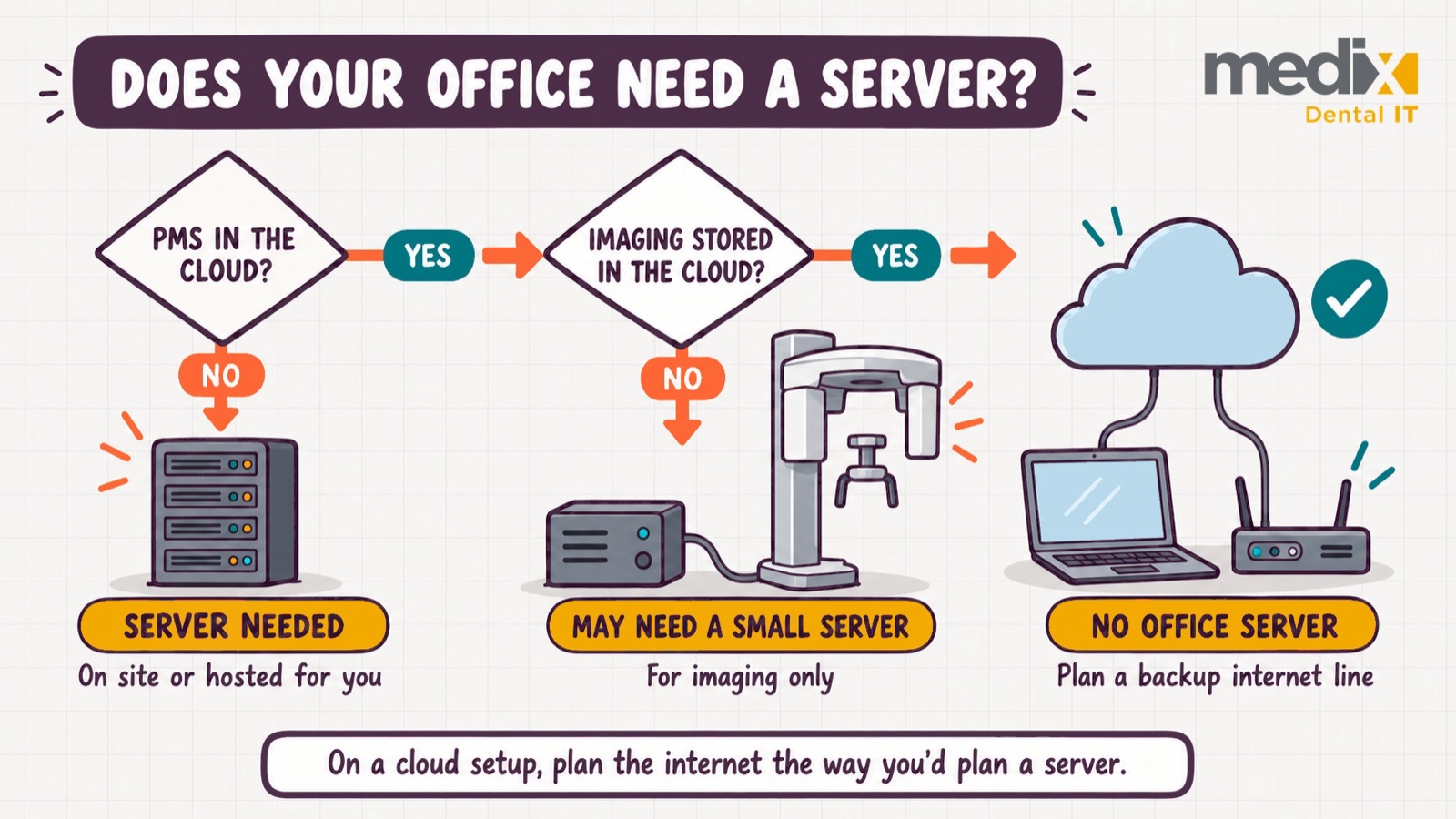
The internet row matters most once the servers are gone. On a cloud platform, the circuit becomes something the clinical day depends on, and our guide to new dental office technology setup covers the network closet, the circuit order and backup internet in the order a buildout needs them. Moving to the cloud also leaves the practice responsible for its patient data. The cloud reduces friction, not responsibility, and the HIPAA question below covers what that means in practice.
What Changes When the Systems Are Managed Remotely
The day-to-day difference Dr. Kimble describes is mostly about time. “I got a printer installed. They did all the installation overnight. I never actually had to sit and wait on anything,” he says. Routine work happens after hours as well: “They do it overnight. They do the updates.” And he can check on things himself. “It’s managed. It hasn’t gone down. I can look at it from home.”
Medix isn’t local to Prism Dental, and he says he pressed us on that. His answer came back to how the office is built. “I don’t need to bring a guy out to turn a switch. I just don’t, because there’s no switch to turn.” He means service calls. If remote support covers most of what goes wrong, a practice has less reason to depend on a single on-site IT person.
His closing thank-you touches on two separate things. One is uptime: “This office ran the first day because you guys made sure it did, and it’s never gone down on me.” The other is support: when he does need help with something, he flags it and “five minutes later I get a call.” That is his experience in his office, not a guarantee from us.
Remote management does not replace a recovery plan. A backup is only proven once you have restored from it, cloud or not, which is why we treat dental data backup and disaster recovery as its own decision.
What This Looks Like Across Several Locations
Prism is a single practice, so its story is evidence for one office. In our experience, a group usually meets the server question through acquisitions. A practice can have a CBCT and still be running on a server that belongs in a museum, and diligence is where that shows up, along with the cost of replacing or migrating it. Our guide to IT due diligence for dental practice acquisitions covers what to check in the practices you buy.
De novo locations are the opposite case. A group that sets a cloud-first standard for the locations it builds itself never inherits that server, and locations built to one standard are simpler to support consistently.
Planning the Server Question for a New Practice
Start with the practice software. If it is cloud-hosted, plan for no PMS server and keep local hardware only where equipment requires it, as Prism did with its CT. If it is server-based, decide whether the server sits in your office or is hosted, and budget an in-office server as a five-to-seven-year lifecycle instead of a single purchase. On a cloud platform, give the internet connection the same planning you would have given the server. If you are planning a new office and weighing this now, we are happy to compare notes.
Dental Office Server Questions
Is cloud-based dental software HIPAA compliant?
Compliance depends on how the software is set up and used, and on the agreements behind it. HHS guidance on cloud providers treats a cloud provider that stores or maintains patient data for a practice as a business associate, so you need a signed business associate agreement with it, even when the provider only holds encrypted data it cannot read. The practice still handles user access, multi-factor authentication, device security and a current risk analysis.
How often should a dental office server be replaced?
We plan server replacement every five years, with seven as the outside limit, and keep an active warranty on it the whole time. The date to watch alongside the hardware age is the operating system’s end of support, because a server can keep running after it stops receiving security updates. When you compare a server against a cloud subscription, compare the full cycle, including the labor to patch it, back it up and eventually migrate off it.
What happens to a cloud-based dental office when the internet goes down?
Without a backup line, the front desk loses charts and billing until the connection returns, and at best keeps a read-only view of the schedule. Three things reduce the impact: a second connection from a different provider that takes over on its own, a printed or read-only copy of the day’s schedule, and phones that forward to another number. If every connection is down, whether imaging can still capture depends on the imaging software, and anything that saves to the cloud waits.
Posted in Testimonials


























































