

The IT setup that runs a single dental office beautifully is often the exact thing holding a growing group back.
DSO IT support is not solo-practice IT with more computers. It is a different operating model, because the problems change the moment you cross from one location to many. A solo practice needs a reliable person who answers the phone when the server acts up. A multi-location group needs a system: one security posture, one support standard, and one source of truth across every office. When groups try to scale the solo model, that is usually where things start to break.
Roughly 16% of U.S. dentists were affiliated with a DSO in 2024, per the ADA Health Policy Institute, and the share is higher among younger dentists. More practices are consolidating, and most inherit their IT one office at a time. This is about what actually has to change when they do.
Where Solo-Practice IT Quietly Breaks at Scale
Every solo office solves IT the same way. A local tech, a server in the closet, a backup someone set up years ago, and a few software logins shared around the front desk. It works because one person can hold the whole picture in their head.
Add locations and that picture shatters. Now you have five closets, five techs, five backup setups nobody has tested together, and no single person who can tell you if all five are actually protected. The failure is not dramatic. It is quiet. You simply lose the ability to answer basic questions about your own group. Which offices are patched? Which backups ran last night? Who has access to patient data at the location you bought last quarter? At solo scale those answers live in someone’s memory. At group scale, memory does not scale.
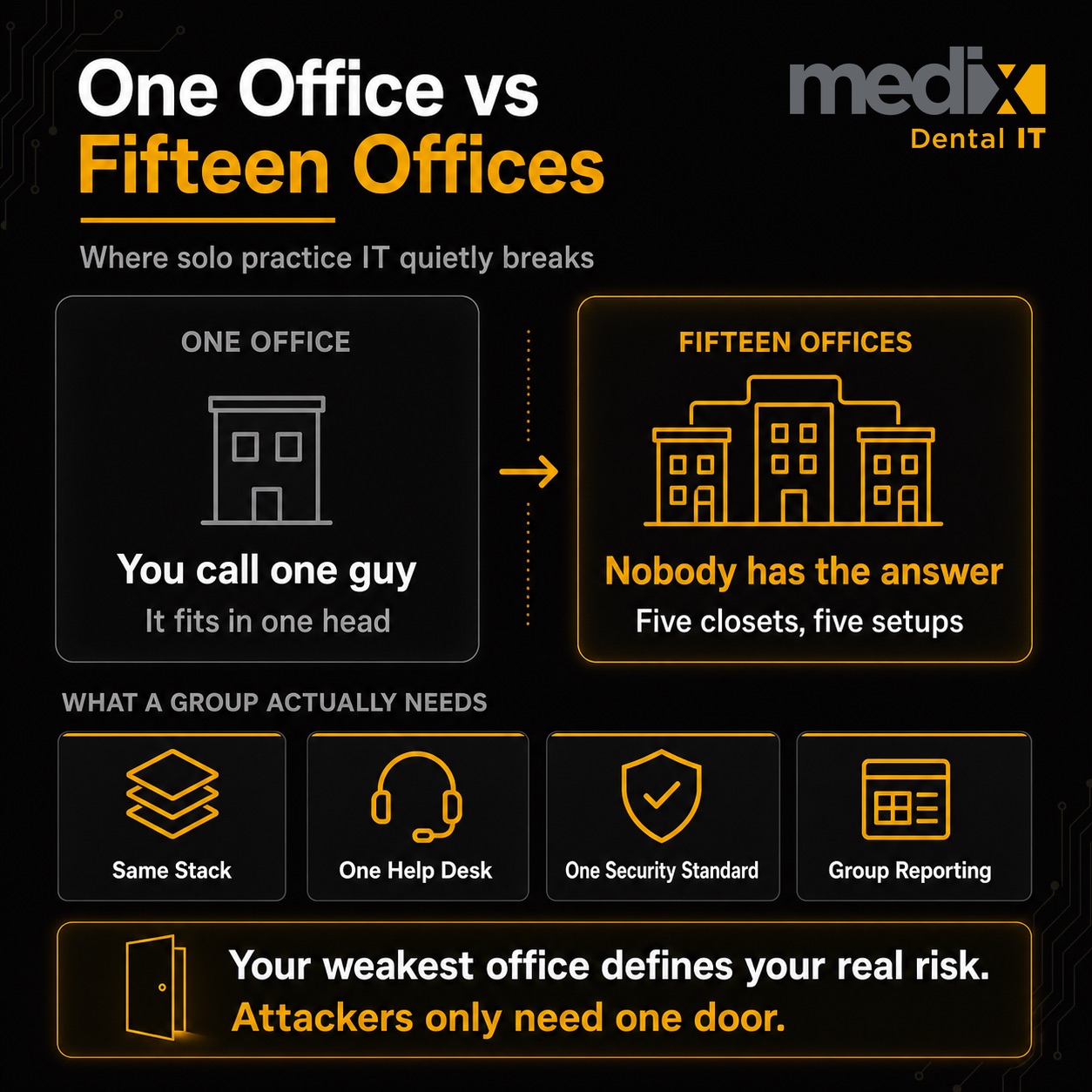
The clearest way to see the gap is side by side. The same capability means something entirely different at one office than it does across ten.
| Capability | Solo Practice | Multi-Location DSO |
|---|---|---|
| Identity and access | A few shared local logins | Centralized identity, so an employee is offboarded everywhere at once |
| Security baseline | Antivirus on each machine | One standard enforced at every site, not office by office |
| Visibility | You notice a problem when someone complains | One dashboard for uptime, tickets, and patch status across all sites |
| Help desk | Call the local tech | Central help desk with defined response times everywhere |
| New-location onboarding | Not applicable | A repeatable process to bring an acquired office onto the standard |
| Compliance | HIPAA for one office | The same safeguards proven across every location on demand |
What a Multi-Location Group Actually Needs
The shift from solo IT to DSO IT support comes down to a handful of things that simply do not exist in a single office. Each one is a place where the old model runs out of road.
1. A Standardized Technology Stack
Solo practices pick whatever software the owner liked. A group cannot run ten different setups and expect to support them, secure them, or report on them. Standardizing the stack across locations is what makes everything else possible, and opening a location from scratch is the cheapest opportunity a group ever gets to build one to the standard. The method for getting there is its own discipline, and it is worth understanding how IT standardization works across DSO locations before you scale further.
2. Centralized Support With Real Response Standards
A solo office calls one guy. A group needs a helpdesk with defined response times, so a front desk in your newest location gets the same fast answer as your flagship. If a provider cannot quantify performance, it is not managed service. It is hope for the best. Ask any potential partner what their response and resolution times are, in writing. If you are still assembling that list, we break down the dental IT providers worth putting on a shortlist, including which ones publish real pricing.
3. One Security Posture Across Every Office
In a single practice, security is whatever the owner set up. In a group, your weakest office defines your real risk, because attackers only need one door. Multi-factor authentication reduces the risk of account compromise by 99.22% according to Microsoft research, yet most groups have it switched on at some locations and not others. One standard, applied everywhere, is the whole point. Insurance portals are where that breaks down, because most of them allow one user and send the verification code to one phone. A centralized billing team cannot work around that without either sharing a password or passing a phone between people, which is the gap Unify Dental was built to close. It also keeps you clear of the HIPAA gaps dental practices fall into most often.
4. Group-Level Visibility and Reporting
A solo owner can walk the office and see everything. A group leader cannot walk ten offices, so you need the data to come to you. Dashboards show outcomes, warehouses reveal drivers. Without group-level reporting, you are running a multi-million-dollar organization on anecdotes about how the tech is doing.
Fully Managed or Co-Managed: The Decision Nobody Frames
One question separates groups that get this right. Do you hand IT entirely to an outside partner, or do you keep some capability in-house and bring in a partner for the rest?
A solo practice never has to answer this. A group does. Fully managed makes sense when you have no internal IT and want one accountable partner. Co-managed fits when you have an internal person or small team who knows your operations but needs the security tooling, after-hours coverage, and multi-site standards a partner brings. In dental specifically, co-managed usually means your internal person keeps owning the practice management software and the clinical vendor relationships, while the partner owns security, backups, patching, and proving HIPAA across every location. That split is the one I see work most often. There is no universal right answer, but there is a wrong one: pretending a single local tech can carry a ten-location group the way they carried one office. That is the moment most groups realize they have outgrown the model, and the IT challenges that come with DSO growth are usually the signal. It is also when purpose-built IT services for dental service organizations start to pay for themselves.
The Real Signal You Have Outgrown Solo IT
You have outgrown solo-practice IT the day you can no longer answer a simple question about all of your locations at once. Not when you hit a certain number of offices, and not when something breaks. When the honest answer to “are all our backups tested and all our offices secured” becomes “I would have to ask around,” the model has already failed. It just has not sent you the bill yet.
DSO IT Support FAQs
What is the difference between DSO IT support and regular IT support?
Regular IT support fixes problems at one location as they come up. DSO IT support runs a system across many locations: one standardized technology stack, one security posture, a centralized helpdesk with defined response times, and group-level reporting. The difference is not scale of hardware. It is whether IT is managed as a repeatable operation or handled office by office.
When does a dental group need managed IT services?
The signal is not a location count. It is the moment you can no longer answer basic questions about all your offices at once, such as which backups ran or which locations are secured. When that answer becomes “I would have to check with each office,” a single local tech has stopped scaling and a managed model becomes the safer path.
Is fully managed or co-managed IT better for a DSO?
Neither is universally better. Fully managed fits groups with no internal IT that want one accountable partner. Co-managed fits groups that have an internal person or team who knows operations but needs enterprise security tooling, after-hours coverage, and multi-site standards. The wrong choice is assuming one local tech can support a growing group the way they supported a single office.
How does IT support affect DSO security across locations?
In a group, your least-secure office sets your real risk, because an attacker only needs one entry point. Consistent IT support applies the same controls everywhere, such as multi-factor authentication, patching, and access management. Microsoft research shows MFA alone reduces account compromise risk by 99.22%, but only if it is turned on at every location, not just some.
Posted in DSO


























































