

August 28th, 2026
Best Password Managers for Dental Practices (2026)
Industry Research — Dental Cybersecurity
A story went around the DSO world recently, and nothing exotic happened in it. No zero-day, no nation-state actor, no ransomware note.
A password manager for dental practices is not a security upgrade most groups think about until something like this happens. One workstation at one location was compromised. That workstation had every credential the office used saved in the Chrome browser, so whoever got in inherited the payer portals, the banking login, the practice management system, and the email account in one motion.
Why Browser Password Managers Fail a Dental Practice
Chrome, Edge, and Safari all offer to remember passwords, and that offer is the default answer for most front desks. It works, right up until it does not.
The problem is blast radius. Browser credential stores are tied to the machine and the signed-in profile, not to the person. Compromise the workstation and you have not stolen one password. You have stolen the set.
There is a second problem that shows up only at scale. A browser vault has no administrator. Nobody at the group level can see which locations store which credentials, nobody can revoke access when someone leaves, and nobody can rotate a shared payer login without walking to each machine.
At one location that is an annoyance. At fifteen it is an unanswerable question.
It stops being hypothetical when a vendor asks you to change the credentials it was given. After its 2026 security incident, eAssist advised customers to change system passwords, and its notice to former customers recommended changing every active password assigned to or shared with eAssist. Our eAssist data breach post covers that recommendation. An administered vault makes it far easier to find every credential that needs changing.
The HIPAA Question Almost Every Practice Asks Wrong
Search for a HIPAA compliant password manager and you will find a dozen vendors claiming to be one. The claim is close to meaningless, and understanding why changes how you evaluate every option below.
There is no HIPAA certification. No government body certifies software as HIPAA compliant, so any vendor can print the phrase and no one is lying, exactly. Compliance is a property of how your organization operates, not a badge a product carries.
What actually matters is contractual. Will the vendor sign a Business Associate Agreement? That is checkable, and the answers surprised me.
Keeper and 1Password both decline. Keeper’s security page states it “is not a Business Associate as defined in the Health Insurance Portability and Accountability Act (HIPAA), and therefore, is not subject to a Business Associate Agreement.” 1Password’s support documentation says AgileBits “isn’t defined as a Business Associate pursuant to HIPAA nor subject to a Business Associate Agreement.” Both are making the same argument: their zero-knowledge architecture means they never receive protected health information, so no BAA is owed.
NordPass will sign. Its HIPAA page states plainly that on any annual Business or Enterprise plan, “NordPass signs the HIPAA BAA.” Note the gating. Annual plans only.
Bitwarden is hedged. Its language is that it “complies with the requirements to be a trusted Business Associate,” which describes meeting requirements rather than committing to sign. Every confident third-party claim that Bitwarden executes BAAs traces back to a compliance vendor’s blog, not to Bitwarden. Ask them directly.
And the part worth sitting with: not one of the three dental-specific tools in this roundup mentions a BAA anywhere on its website.
The same logic governs HIPAA-compliant email for dental practices, where the signed agreement and the access controls matter more than the product label. The tool either supports those four controls or it does not.
Password Managers for Dental Practices, Compared
Eight options, split between tools built for dentistry and general business tools that dental groups actually run. Pricing verified against each vendor’s live pricing page on the day of writing, with the monthly and annual toggle states confirmed separately, because several of these pages default to showing the annual rate with a “per month” label.
| Tool | Built for dental | Pricing model | Signs a BAA | Audit logs | Best for |
|---|---|---|---|---|---|
| Unify | Yes | $99/mo per location (3-20) | Not stated publicly | Vendor states yes | Groups drowning in payer portals |
| GateKeeper | Yes (healthcare) | Contact sales | Not stated publicly | Yes | Shared operatory workstations |
| LoginDental | Yes | $50/mo for 3-5 locations | Not stated publicly | Vendor states yes | Not yet evaluable (see below) |
| Bitwarden | No | $4/user/mo (Teams, annual) | Hedged, ask directly | Teams tier and up | Cost-sensitive groups |
| NordPass | No | $3.99/user/mo (Business, annual) | Yes, on annual plans | Business tier and up | Groups whose auditor wants a BAA |
| Keeper | No | $4/user/mo (Business, annual) | No, declines | Business tier and up | Security-mature IT teams |
| 1Password | No | $8.99/user/mo (Business, annual) | No, declines | Business tier only | Groups already on 1Password |
| Browser vault | No | Free | No | None | Nothing in a clinical setting |
1. Unify: Built Around the Payer Portal Problem
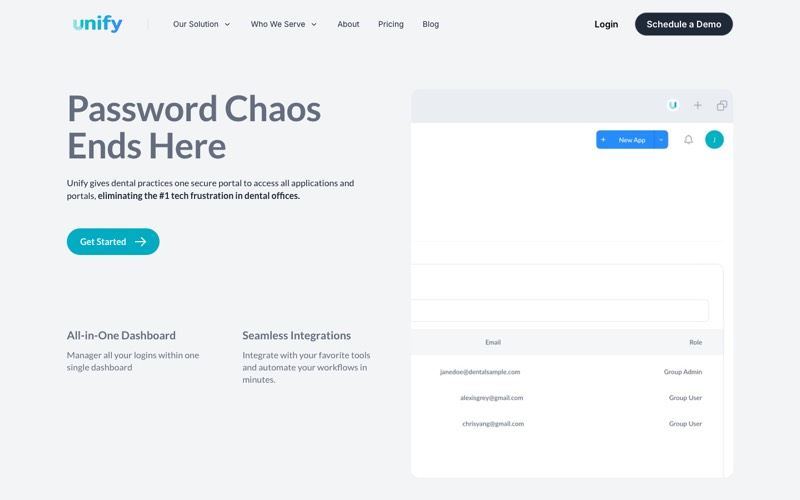
Unify is the tool most often named when dental groups ask this question. Its differentiator is real: it centralizes two-factor codes, capturing one-time passcodes from email, text, or authenticator apps and routing them to the right team member. If your billing team has ever waited on someone’s personal cell phone for a payer portal code, you know why that exists.
Insurance portals are where it earns its keep. It names Dentrix, Eaglesoft, Delta Dental, Cigna, MetLife, Aetna, and Guardian among the systems it signs into.
I should say plainly that Unify is the option we point clients toward most often, which is exactly why the next part matters.
My hesitation is architectural. Unify markets the ability to “give them access without giving them the usernames and passwords,” but publishes no explanation of how that concealment works and makes no zero-knowledge claim anywhere. Combined with central admin password resets, that suggests the vendor can decrypt stored credentials. Not disqualifying, but a question to ask before you hand it your entire credential set.
Best for groups where payer portal access is the daily bottleneck. Pricing runs $149 monthly for a single practice, $119 billed yearly, and $99 per location for groups of three to twenty.
2. GateKeeper: Proximity Login for the Operatory
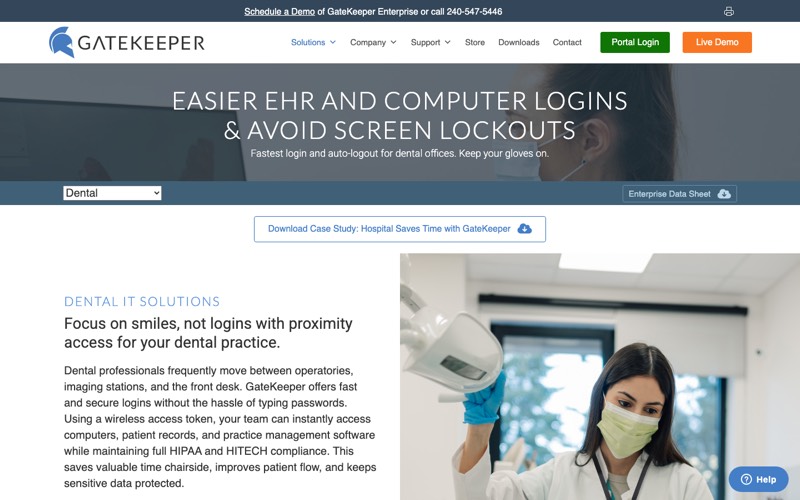
GateKeeper takes a different approach to the same problem. Rather than a vault your team logs into, it uses a wireless hardware token that authenticates by proximity, logging the user in as they approach a workstation and locking it when they walk away.
It earns its place in the operatory. Clinical staff move between rooms constantly, gloved, and the realistic alternative to a proximity token is not a strong password. It is a shared login taped inside a drawer, or a workstation nobody ever locks. Credential exposure of that kind shows up repeatedly in the biggest dental data breaches on record.
The limit is scope. This solves authentication to the machine, not credential management across the group, so it complements a vault rather than replacing one. Hardware also brings its own logistics, and they multiply by location. Someone has to own provisioning, replacement, and the offboarding step when a token walks out the door, at every office rather than centrally.
Best for groups where unattended, unlocked operatory workstations are the real exposure. Pricing is not published. The vendor quotes directly.
3. LoginDental: Cheapest Option, Least Documentation
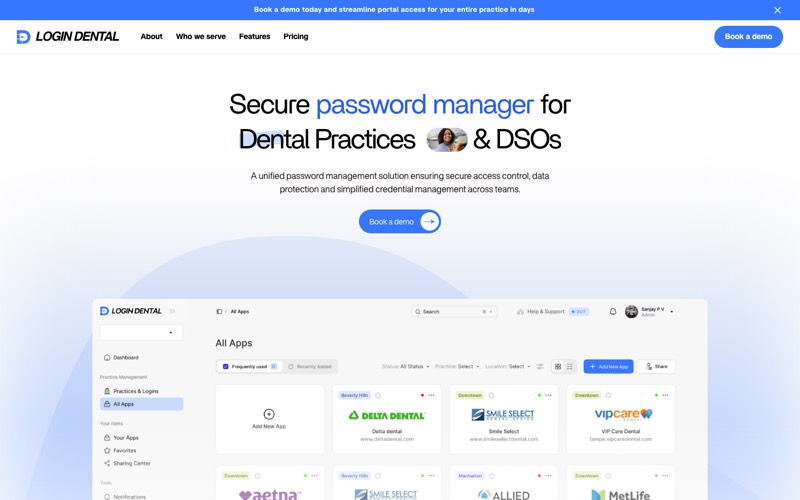
LoginDental markets a credential vault to dental practices, RCM houses, and DSOs at $50 per month for three to five locations. Against Unify’s $99 per location, that is a sixth of the cost at three locations and a tenth at five, which is what makes it worth examining closely.
I could not evaluate it, and the reason is the finding. The domain was registered in January 2026 and the registrant is privacy-shielded. No legal entity is named anywhere on the site, no founders, no team page. The footer links “Terms” and “Privacy,” and both return 404, as do the About and Pricing pages in its own navigation.
The hesitation is proportional to what a credential vault holds, which is everything at once. The site claims “true zero-knowledge architecture,” with no whitepaper, security page, third-party audit, or terms to bind it.
Best for nobody yet. Ask for a legal entity, a signed BAA, and published terms before it holds a single payer login. If those arrive, re-evaluate on the merits. The price is competitive.
4. Bitwarden: Open Source With the Best Price-to-Control Ratio
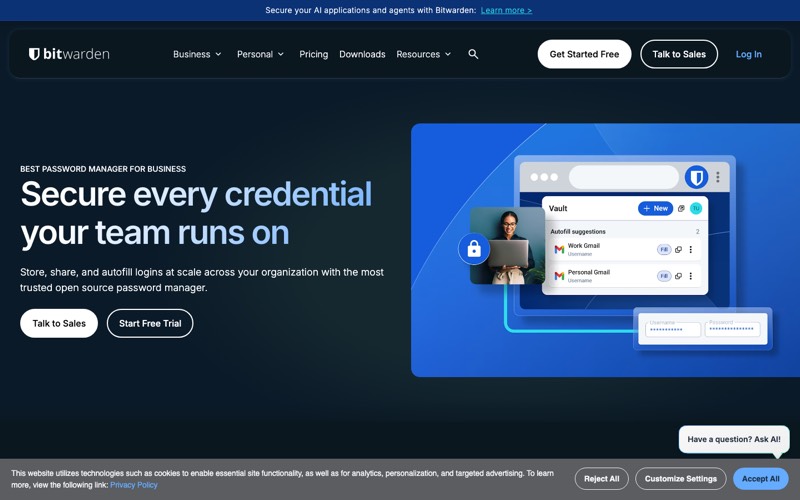
Bitwarden is the open-source option, and the one I see cost-sensitive groups land on most often. Teams runs $4 per user per month billed annually, Enterprise $6, and event logs are included from Teams rather than gated behind the top plan.
Transparency is the strength here. It publishes SOC 2 Type II, SOC 3, and ISO 27001, and the vendor states it undergoes annual third-party HIPAA Security Rule audits. It is also the only vendor in this comparison publishing a machine-readable pricing page, which says something about how it treats documentation generally.
Two reservations. The BAA language is hedged, and the per-user model bills by headcount. A twelve-location group with high front-desk turnover pays for seats it is constantly reprovisioning, a different cost curve than per-location pricing.
Best for groups with in-house IT capacity and stable headcount, where $4 a seat buys more control than anything else at that price. Confirm the BAA position directly before committing.
5. NordPass: The One That Will Sign a BAA
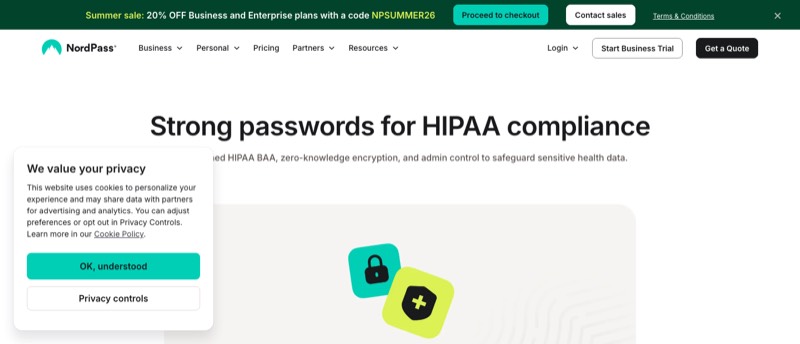
NordPass is the only tool here that states publicly and unambiguously that it signs a HIPAA Business Associate Agreement. On any annual Business or Enterprise plan, that commitment is on its website in writing.
That is the whole case for it. If your compliance officer or cyber insurance carrier wants a signed BAA on file, this removes an argument you would otherwise be having with a vendor’s legal team, provided you are on an annual plan and can live with SIEM logging sitting behind Enterprise.
The gating is where I would slow down. The BAA covers annual plans, so the relevant Business figure is $3.99 per user per month on a one-year term, not the $5.99 monthly rate the page shows first. Activity logs start at Business, but the logging feed that a security monitoring platform would consume is Enterprise only.
Best for groups whose auditor or carrier has asked for a BAA and will not accept an architectural argument in its place.
6. Keeper: Deepest Compliance Stack, No BAA
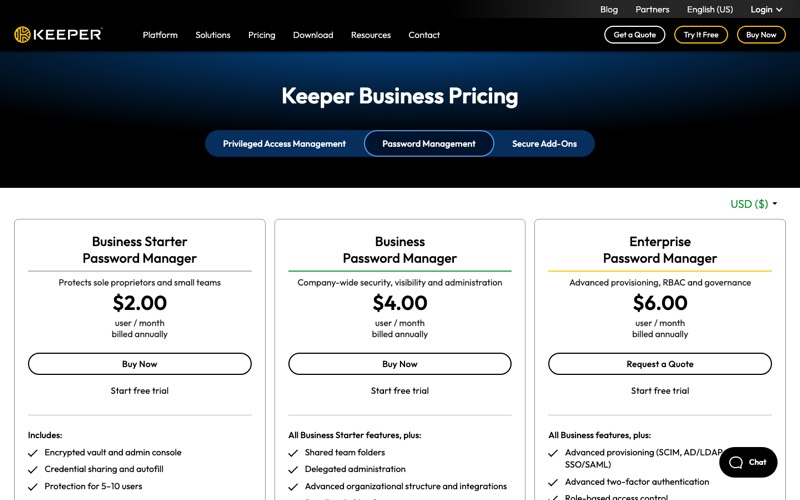
Keeper carries the deepest compliance credential set here: SOC 2, ISO 27001, 27017 and 27018, FedRAMP High, and FIPS 140-3, the federal standard for validated encryption. Business Starter runs $2 per user per month billed annually, Business $4, and Enterprise $6 with SCIM, SSO, and role-based access control.
It fits a group with real IT maturity and an existing identity stack. SCIM provisioning at the Enterprise tier syncs user accounts automatically from your directory. Access gets created and revoked by the system rather than by someone remembering, which is the most reliable fix for the offboarding gap there is.
Two things give me pause. Keeper declines to sign a BAA on zero-knowledge grounds, and its own trust center does not list HIPAA among its attestations even though its marketing pages use the phrase. The custom reporting most groups assume is included also requires a paid add-on.
Best for groups already running Entra ID or Google Workspace with someone accountable for identity governance, where directory-driven provisioning is what keeps access consistent across every location.
7. 1Password: Familiar, Capable, and the Most Expensive
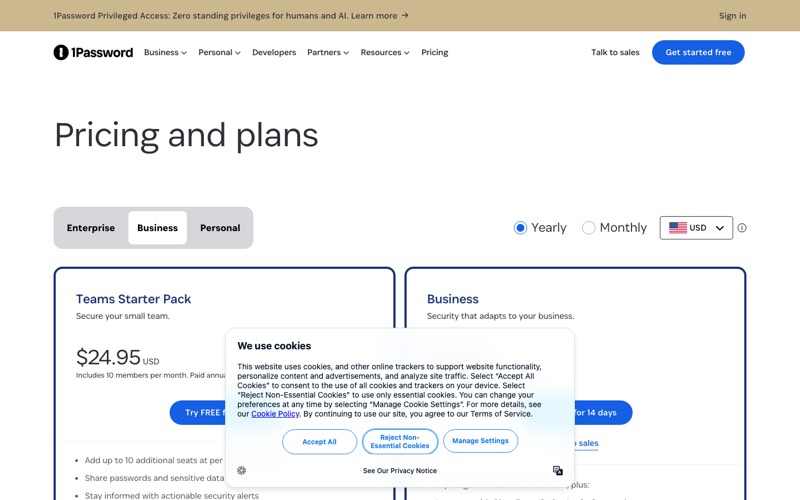
1Password is the tool your team most likely already uses personally, and that familiarity has real operational value. Business runs $8.99 per user per month billed annually, with a Teams Starter Pack at $24.95 per month covering ten members.
Adoption is the honest argument for it. Security controls people refuse to use provide no security, so if adoption is your bottleneck rather than budget, the interface half the staff already knows is a legitimate reason to pay more.
Cost and gating are the tradeoff. At $8.99 per user it runs more than double Bitwarden or Keeper per seat, the audit log is restricted to the Business tier with 365-day retention, and like Keeper it declines to sign a BAA.
Best for groups already standardized on 1Password elsewhere, where switching costs exceed the per-seat premium. At fifty seats across a dozen offices, that premium compounds into a real line item.
8. The Browser Vault: What You Are Probably Using Now
Worth naming explicitly, because it is the incumbent in most practices and it is what the story above involved.
It is free and requires no decision, which is precisely why it spreads. Nobody ever chose it. It accumulated, one “save password?” prompt at a time, until it held everything.
Everything else is the problem. No administrator view, no audit trail, no revocation path, no per-person accountability, and nothing visible from the group level. The blast radius equals every credential saved on the machine. It also fails the HIPAA controls that actually matter, not because a vendor will not sign something, but because there is no mechanism to prove who accessed what, which is exactly the record an auditor or an acquirer asks to see.
Best for personal use on a personal device. Not for a workstation with access to patient data.
Why This Shows Up in Diligence
Buying a tool is the easy part. The groups that get real value treat this as an identity project, not a software purchase, and the reason has less to do with security hygiene than most people expect.
Credential sprawl is something an acquirer’s IT diligence finds. When every acquired office kept its own logins in its own browsers, there is no way to answer who has access to which payer portal, no way to prove access was revoked when people left, and no clean handoff at close. That is not a line item a buyer prices generously. It reads as unpriced risk, and it lands in the same column as the museum-grade server nobody disclosed.
Three things make it defensible. Inventory before you migrate, the way you would work through a HIPAA compliance checklist, because most groups badly underestimate their credential count and the payer portals are always the messiest part. Separate what belongs to the practice from what belongs to a person. Then make offboarding a controlled event: access revoked the same day, shared credentials rotated, and a record that it happened. The same discipline applies when the departing party is a vendor, which is why offboarding an IT provider starts with confirming who holds the administrative credentials.
Your carrier may get there before your buyer does. Several now require a signed MFA attestation, and what carriers actually ask on a cyber liability application has moved well beyond a yes-or-no checkbox.
If you are running multiple locations and cannot currently answer who has access to which payer portal, resolve that before the tooling decision, not after. It is the same class of question as which workstations are past end of life, or which locations have had a restore tested. A group that can answer it at twenty offices is fine. A group that cannot answer it at four is already behind, and nothing has broken yet to tell them.
The Bottom Line for Dental Groups
If payer portal access is what actually slows your team down, Unify is the one built for that problem, and the two-factor routing is the part no general tool replicates. If your compliance officer or carrier wants a signed BAA on file, NordPass is the only tool here that publicly commits to one. If you have IT capacity in house and stable headcount, Bitwarden buys the most control per dollar.
The groups that handle this well are not the ones with the best tool. They are the ones who decided that credential access is something the organization owns rather than something each office improvises. That decision comes first, and it is the one that survives whichever product you pick.
Password Manager for Dental Practices FAQs
Is Chrome’s password manager safe for a dental office?
Not for a workstation with access to patient data. Credentials are tied to the machine rather than the person, so one compromised workstation exposes the whole set at once, and there is no administrator view, no audit trail, and no way to revoke a departing employee centrally.
Is there a HIPAA compliant password manager?
No. No certification exists, so the phrase means nothing on its own. The checkable question is whether the vendor will sign a Business Associate Agreement: NordPass states it does on annual plans, while Keeper and 1Password both explicitly decline.
Do we need a dental-specific password manager?
Only if payer portal codes are a daily friction point for your billing team, which is the one problem general tools do not solve. If your credential problem is ordinary business logins, a general business tool costs less and publishes deeper compliance documentation.
What happens to shared logins when an employee leaves?
In most practices, nothing, and that is the real exposure. Per-person accounts fix the individual logins with one revocation, but a genuinely shared credential still has to be rotated by hand. The groups that handle it well keep a written checklist naming each shared credential and who owns rotating it.
How much should a multi-location group expect to pay?
Per-user tools run roughly $4 to $9 per user per month on annual billing, so cost scales with headcount and turnover. Unify bills per location at $99 per month, so cost scales with footprint. Run the math against your actual headcount rather than assuming per-user is cheaper.
Posted in Dental Cybersecurity


























































